
GPT Image 2 Prompt Examples
10 copy-paste prompt templates for GPT Image 2 — portraits, posters, ad creatives, infographics, manga strips, YouTube thumbnails, and UGC ads. Each template includes the full prompt text, lighting notes, and aspect ratio guidance.
Ready-to-Use GPT Image 2 Prompt Templates
Each prompt below is tested and optimised for GPT Image 2. Swap the subject or scene description for your own and use the rest as-is. The more specific the description, the more accurate the output.
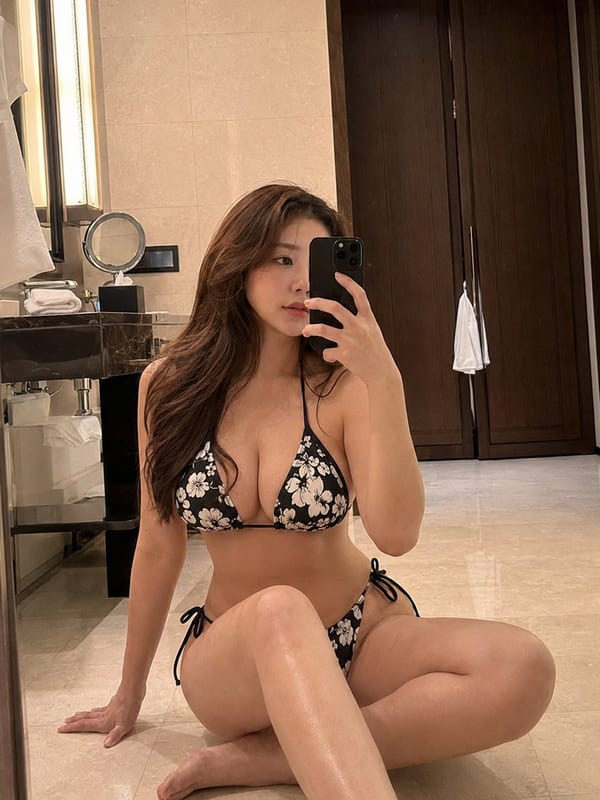
Photorealistic portrait — natural light
Prompt: "A photorealistic portrait of [subject description] in a [setting]. Natural soft window light from the left. Shallow depth of field, background slightly out of focus. True-to-life skin texture. No warm color cast. No editing artifacts. Vertical 9:16 format." — Replace [subject] with e.g. 'a woman in her 30s wearing a linen shirt' and [setting] with 'a bright modern apartment' or 'a café by a large window'.
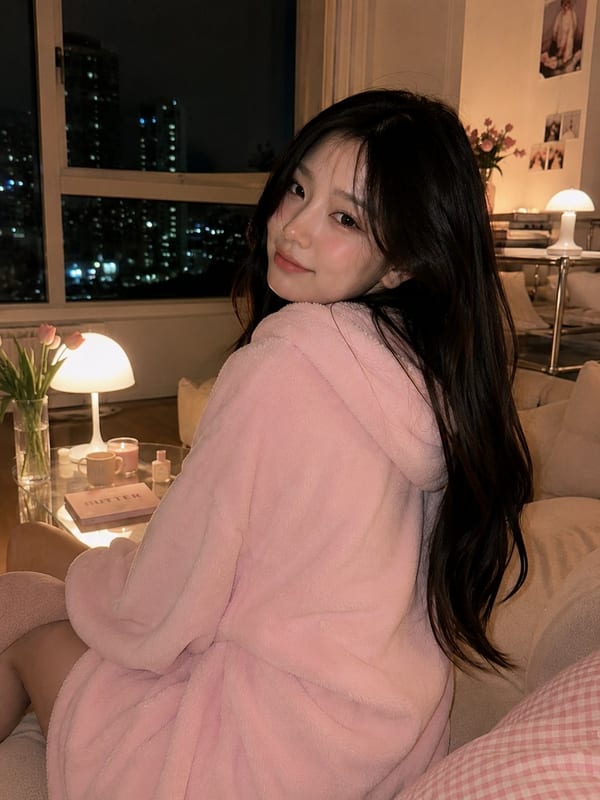
Cozy interior lifestyle portrait
Prompt: "A photorealistic lifestyle portrait of [subject] sitting in a cozy [room type]. Warm ambient lamp lighting. Soft shadows. Natural, candid composition. Shallow depth of field. No text overlays. Vertical 9:16 format." — Swap [room type] for 'Korean-style living room', 'reading nook', 'sunlit kitchen', or 'minimalist bedroom'. Works for editorial and brand lifestyle photography.
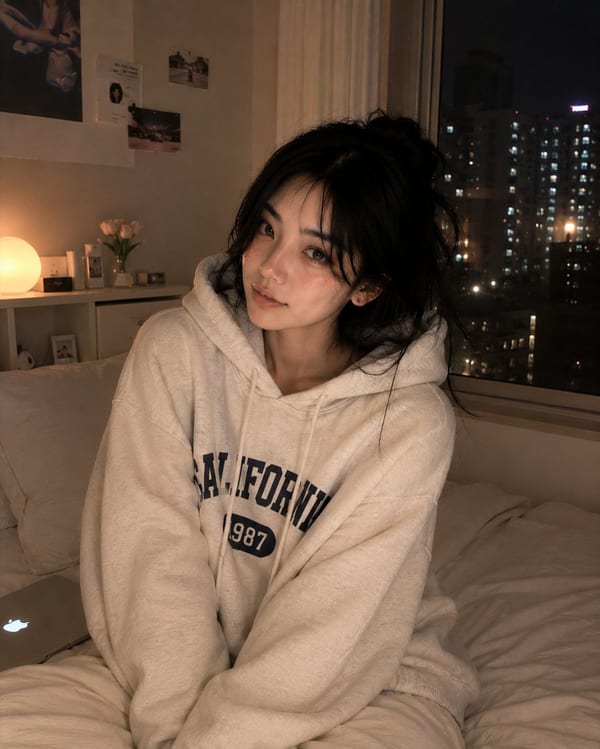
Night scene portrait — moody lighting
Prompt: "A photorealistic portrait of [subject] in a [room type] at night. Warm bedside lamp glow as the main light source. Deep shadows on one side. Intimate, cinematic mood. Shallow depth of field. No overhead flash. 9:16 vertical format." — Replace [room type] with 'modern bedroom', 'hotel room', or 'apartment living room'. Great for editorial and brand campaigns.
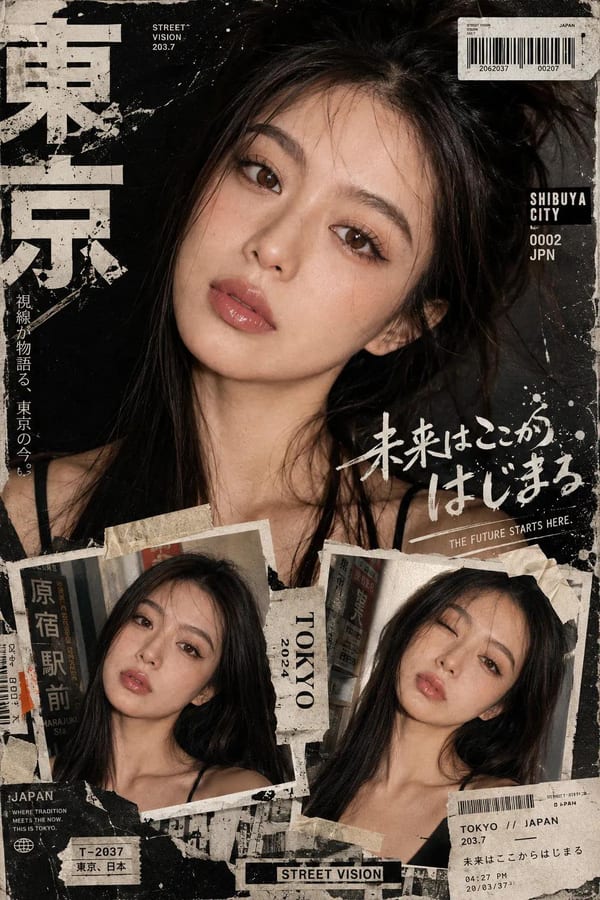
Y2K editorial poster with typography
Prompt: "A Y2K-aesthetic editorial poster featuring [subject or scene]. Bold mixed typography with the text '[YOUR TEXT]' at the top and '[SUBTEXT]' in a contrasting color below. Layered collage composition. Film grain texture. High saturation. Street fashion editorial style. 9:16 vertical format." — Always write exact text in quotation marks for highest accuracy. GPT Image 2 renders multilingual text legibly.
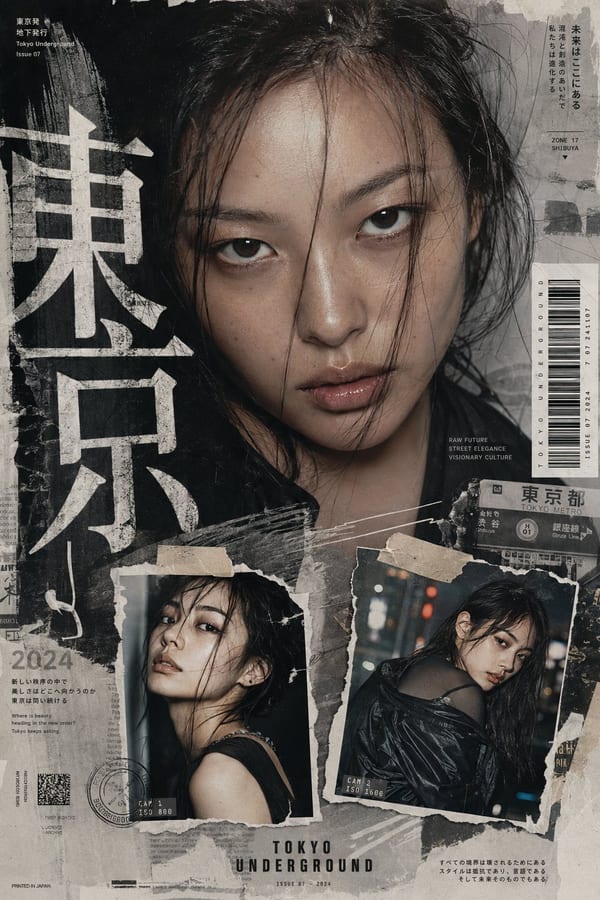
Fashion zine collage — editorial layout
Prompt: "A neo-Y2K fashion zine-style collage featuring [subject or fashion editorial scene]. Film grain texture. Layered text overlays with '[ZINE TITLE]' in bold and '[subtitle]' in smaller type. Mixed photography and graphic elements. Tokyo street fashion aesthetic. 9:16 vertical format." — Works for fashion brands, editorial campaigns, and social content.
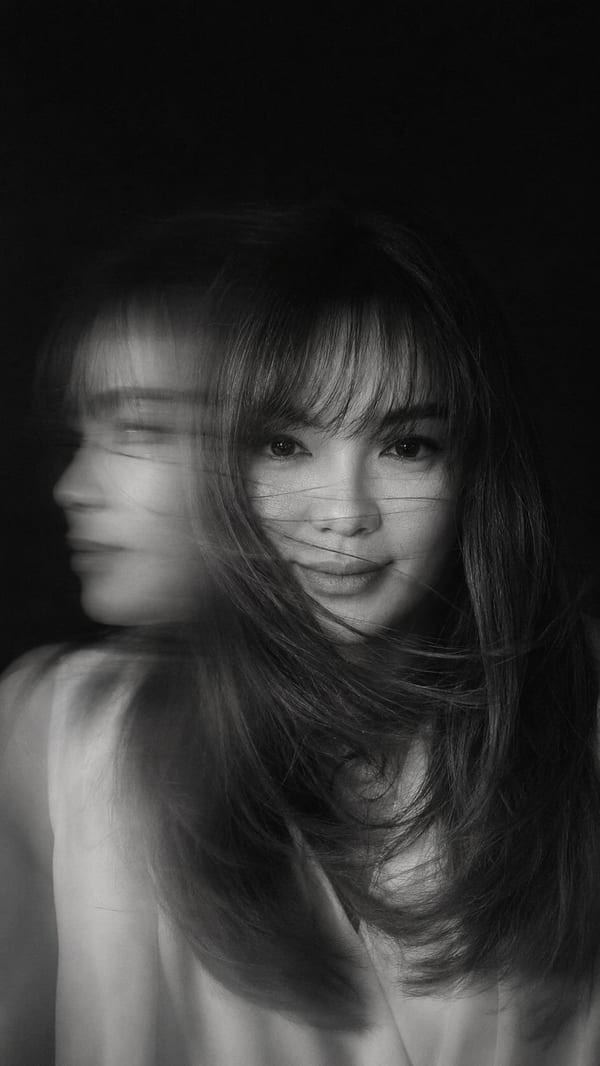
Ad creative with accurate headline text
Prompt: "A clean advertisement graphic. [Color] card layout on a [background color] background. Bold text at the top reads '[HEADLINE TEXT]' in [color]. Below it '[OFFER TEXT]' in [accent color]. [Subject or product] centered in the lower half. A rounded button at the bottom reads '[CTA TEXT]'. Minimal, modern ad design. 1:1 square format." — Always write exact text in double quotation marks for highest rendering accuracy.

Infographic — data visualization
Prompt: "A clean, minimalist infographic titled '[YOUR TITLE]'. White background. [Number] sections arranged in a [grid/flow/timeline] layout. Each section has a bold number or stat in [color], a 3–5 word label in dark sans-serif below, and a small icon above. Source line at the bottom in light gray: '[Source name, Year]'. No decorative elements. Typography-first design. 16:9 aspect ratio." — Best with Thinking Mode enabled. Wrap all text in quotes for accuracy.

Manga / comic strip — 3-panel story
Prompt: "A 3-panel horizontal manga-style comic strip. Clean black ink lines on white. Panel 1: [scene description, character action]. Panel 2: [scene description, character reaction]. Panel 3: [scene description, resolution]. Speech bubbles in each panel with text: Panel 1: '[dialogue]', Panel 2: '[dialogue]', Panel 3: '[dialogue]'. Consistent character design across all panels. Japanese manga aesthetic, no color, sharp contrast. 3:1 aspect ratio." — Enable Thinking Mode for cross-panel character consistency.

YouTube thumbnail — high-CTR format
Prompt: "A YouTube thumbnail for a video about '[topic]'. Left half: expressive face of [subject description] with [emotion] expression, looking directly at camera. Right half: bold text '[YOUR HEADLINE]' in thick white letters with black stroke, stacked in 2 lines. Background: [color or gradient]. High contrast, saturated colors. No clutter. Optimized for small display size. 16:9 aspect ratio." — Put your exact headline text in quotes. Thinking Mode improves text accuracy.

UGC-style social ad — authentic format
Prompt: "A UGC-style social media ad photo. A [demographic description] holding [product] naturally, casual handheld composition. Shot on iPhone, slight motion blur, authentic creator lighting — soft natural window light. Background: [setting, e.g. home kitchen / desk / outdoor café]. Overlay text in the lower third: '[COPY LINE]' in casual bold sans-serif. No studio feel. Looks like a real creator post. 4:5 aspect ratio for Instagram feed." — UGC style works best without Thinking Mode for faster output.
What Makes a GPT Image 2 Prompt Work — and What Breaks It
These tips come from testing GPT Image 2 across hundreds of prompts covering portraits, posters, product photography, UI mockups, and multilingual layouts.
Write exact text in quotation marks
When generating images with text — headlines, signs, labels, UI copy — write the exact words in double quotation marks inside the prompt: 'bold text reads "SUMMER SALE"'. GPT Image 2 renders quoted text with significantly higher accuracy than text described in general terms. GPT Image 2 achieves ~99% accuracy for multilingual text including CJK and Arabic.
Name the lighting setup specifically
Use professional photography lighting terms — 'soft diffused studio lighting from upper left', 'natural window light from the right', 'warm golden hour backlight', 'overhead direct flash', 'single bedside lamp glow'. Lighting defines the mood and realism more than almost any other element.
Specify aspect ratio at the end of every prompt
End every prompt with the target format — '1:1 square format' for social feed posts, '9:16 vertical format' for Reels and Stories, '16:9 widescreen format' for banners. This prevents GPT Image 2 from defaulting to a ratio that doesn't fit your platform.
Use exclusion terms to avoid unwanted elements
Add 'No text overlays', 'No watermarks', 'No extra props', 'No people' at the end of your prompt. GPT Image 2 occasionally adds decorative elements — exclusion terms suppress them and keep the image focused on your subject.
Enable Thinking Mode for complex prompts
Prompts with more than 4 compositional constraints, multiple subjects, or precise spatial relationships benefit significantly from Thinking Mode. Enable it in ChatGPT (requires Plus or Pro) for architecture, infographics, and multi-element scenes.
Generate 3–4 variations before picking
GPT Image 2 output varies between generations even with the same prompt. Generate 3–4 versions of each image before selecting the best. Small adjustments — 'soft' to 'sharp' lighting, or 'left' to 'overhead' — produce meaningfully different results worth comparing.
GPT Image 2 Prompts — FAQ
Common questions about writing and using prompts for GPT Image 2.
What makes a good GPT Image 2 prompt?
A good GPT Image 2 prompt includes four elements: (1) a specific subject or scene description, (2) an explicit background and surface type, (3) a named lighting style, and (4) a target aspect ratio. Prompts that include all four produce more consistent, usable output than vague or incomplete descriptions.
How do I get GPT Image 2 to render text accurately?
Write the exact text you want in double quotation marks inside the prompt — for example: 'bold text reads "SUMMER SALE"' and 'orange text reads "40% OFF"'. GPT Image 2 renders quoted text with ~99% accuracy across English, Chinese, Japanese, Arabic, and more. Always proofread generated text before using in live campaigns.
Do I need to learn prompt engineering to use GPT Image 2?
No. The prompt templates on this page are ready to use — copy the template, replace the subject description with your own, and generate. You do not need to understand prompt engineering theory. Start with the templates, then adjust the background, lighting, and format based on your results.
Why does GPT Image 2 sometimes add things I didn't ask for?
GPT Image 2 fills compositional space based on its training data — if the prompt doesn't specify what surrounds the subject, it may add props or decorative elements. Add explicit exclusion terms to your prompt: 'No extra props', 'No text overlays', 'No decorative elements', 'No background clutter'.
What aspect ratio should I use for different platforms?
Use 1:1 square for Instagram feed posts, Facebook ads, and general social images. Use 9:16 vertical for TikTok, Instagram Reels, and Stories. Use 16:9 widescreen for YouTube thumbnails, banners, and website headers. Use 4:3 landscape for editorial content and product pages.
Can I use the same prompt template for different subjects?
Yes. The prompt templates on this page are designed to be reused — swap out the subject description for each new image. Keep the background, lighting, and format sections consistent across a series to maintain visual consistency.
How many variations should I generate per prompt?
Generate 3–4 variations per prompt before selecting the final image. GPT Image 2 output varies between generations even with identical prompts — lighting angles, shadow density, and minor compositional details differ across runs.
What is Thinking Mode and when should I use it?
Thinking Mode is a reasoning step where GPT Image 2 plans the layout and self-checks before generating. Enable it for complex prompts with multiple subjects, precise spatial relationships, multilingual text, or infographic layouts. It requires ChatGPT Plus or Pro. For simple portraits and single-subject images, standard mode is sufficient.
Copy a Prompt and Generate Your First GPT Image 2 Image
Take any prompt template from this page, replace the subject description with your own, and generate a portrait, poster, lifestyle scene, or ad creative — free trial credits included.